Power Supplies in the Age of AI: Power Delivery Engineering and a Closer Look at Seasonic PRIME
When Wattage Is No Longer the Whole Story
Building a high-performance PC in 2026 is no longer simply a matter of choosing the fastest graphics card, the most powerful processor, and as much memory as possible. The way these components are being used has changed just as dramatically. A computer that was once built primarily for gaming or a few hours of video production can now serve as a local AI workstation, running large language models, generating images and video, performing inference, carrying out fine-tuning workloads, and even training models for extended periods.
This shift has fundamentally changed the role of the power supply.
In a gaming PC, it is easy to think of the PSU as the component whose primary job is to provide enough wattage to keep the system running. In a workstation built around a high-power GPU and intended to operate under sustained workloads for hours at a time, the questions become considerably more complex. Can the PSU maintain clean and stable output as the load changes rapidly? Does it provide enough headroom for transient power excursions? Is its cooling system designed for sustained operation? And are its connectors capable of safely delivering the required power?
These questions explain why specifications such as ATX 3.1, PCIe 5.1, and 12V-2×6 have become increasingly relevant when designing modern high-performance systems, and why advanced PSU families such as Seasonic PRIME deserve particular attention when the computer is intended to function as a workstation rather than simply a consumer PC.
From Gaming PC to AI Workstation
The fundamental difference between a gaming PC and an AI workstation is not simply that one uses a more powerful GPU than the other. The real difference lies in workload characteristics, operating duration, and resource utilization.
A modern gaming PC can certainly consume substantial power during demanding workloads, but its power requirements typically fluctuate continuously. GPU utilization changes with the scene, frame rate, resolution, ray tracing workload, and game engine, while CPU utilization varies according to what is happening within the game.
By contrast, an intensive AI training or inference workload can keep the GPU operating at a high utilization level for extended periods, while memory, PCIe, storage, and the CPU continue feeding the computational pipeline.
That does not mean every AI workload keeps the GPU at 100% utilization continuously. The bottleneck may instead be memory capacity or bandwidth, data movement, storage performance, or the model configuration itself. However, once the system reaches genuinely high sustained power consumption, running it for eight, ten, or twenty consecutive hours is fundamentally different from a two-hour gaming session.
An AI workstation should therefore be viewed more as a continuous computing system than simply a faster PC.
That distinction changes the way the PSU should be selected. The goal is not merely to have enough capacity to turn the system on and run it, but to have a power-delivery system capable of maintaining its electrical characteristics under prolonged and dynamically changing loads.
The Problem Is Not Just Average Power Consumption
One of the most common mistakes when selecting a PSU is to add together the power consumption of the CPU, GPU, motherboard, storage, and other components, then choose a PSU that exceeds the resulting figure by a small margin.
That calculation provides a useful starting point, but it does not describe the complete electrical behavior of the system.
Modern components, particularly high-end GPUs, do not draw power in a perfectly constant manner. Very rapid changes in load can occur, commonly referred to as Power Excursions or Transients. These changes can be so brief that they are barely reflected in average system power consumption, yet they can still represent a significant challenge for the PSU.
This is where PSU design becomes important.
Under Intel’s Power Excursion requirements, power supplies above 450W equipped with a 12V-2×6 connector fall under a test profile that allows transient power excursions of up to 200% of rated output for 100 microseconds, followed by 180% for 1ms, 160% for 10ms, and 120% for 100ms, while continuous output remains at 100%.
These figures should not be misunderstood.
A 1000W PSU does not suddenly become a 2000W power supply. The 200% figure represents a time-limited power excursion under a defined test condition, not a continuous operating capability.
This is precisely the significance of the evolution of ATX 3.x: the PSU must be capable of handling rapid changes in system load without those changes turning into system instability.
ATX 3.1: When Load Behavior Becomes Part of the Specification
Earlier PSU specifications focused heavily on rated output, efficiency, and basic electrical limits. More recent ATX generations place greater emphasis on how a PSU responds to transient loads generated by modern PCIe components.
That evolution makes sense in an era when high-end GPUs can consume hundreds of watts while also producing rapid changes in power demand.
For this reason, ATX 3.1 should not be viewed simply as a higher number than ATX 3.0. More importantly, it represents a PSU designed around the electrical characteristics and transient behavior of a newer generation of platforms and graphics cards.
For an AI workstation expected to run a flagship GPU for years, choosing a modern PSU from the outset is therefore a more sensible approach than relying on an older design and attempting to compensate for missing connectors or transient-handling capabilities through adapters and additional cabling.
12V-2×6: A Connector That Became Part of Power-Delivery Engineering
The evolution of 12VHPWR into 12V-2×6 was not simply a cosmetic redesign.
The connector features 12 primary power contacts and four signal contacts, and supports up to 600W of continuous power. Its contact design was also revised, with the signal pins shortened by approximately 1.5mm and the power contacts extended slightly, with the goal of improving connection reliability and reducing the possibility of poor contact.
These changes matter because delivering hundreds of watts through a compact connector makes both mechanical and electrical contact quality critical.
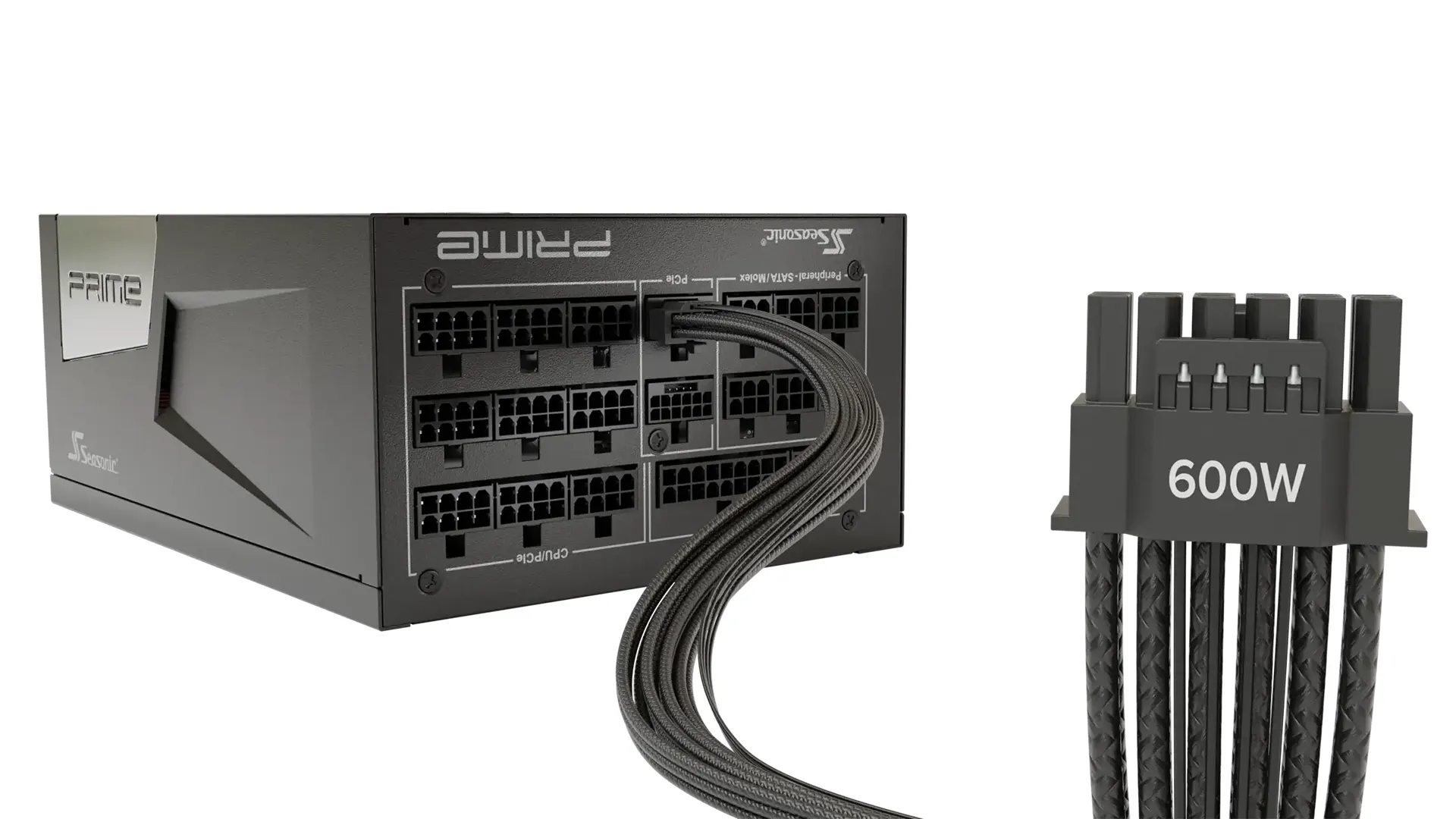
However, 12V-2×6 does not mean users can ignore proper cable installation. Seasonic itself emphasizes the importance of fully seating the connector and ensuring that it is properly secured, while avoiding excessive pressure or sharp bends near the connector after installation.
For this reason, having a native 12V-2×6 connection on a modern PSU is a clear advantage when the system is built around a high-power GPU.
Seasonic PRIME: When PSU Quality Becomes Part of System Design
This brings us to the Seasonic PRIME family.
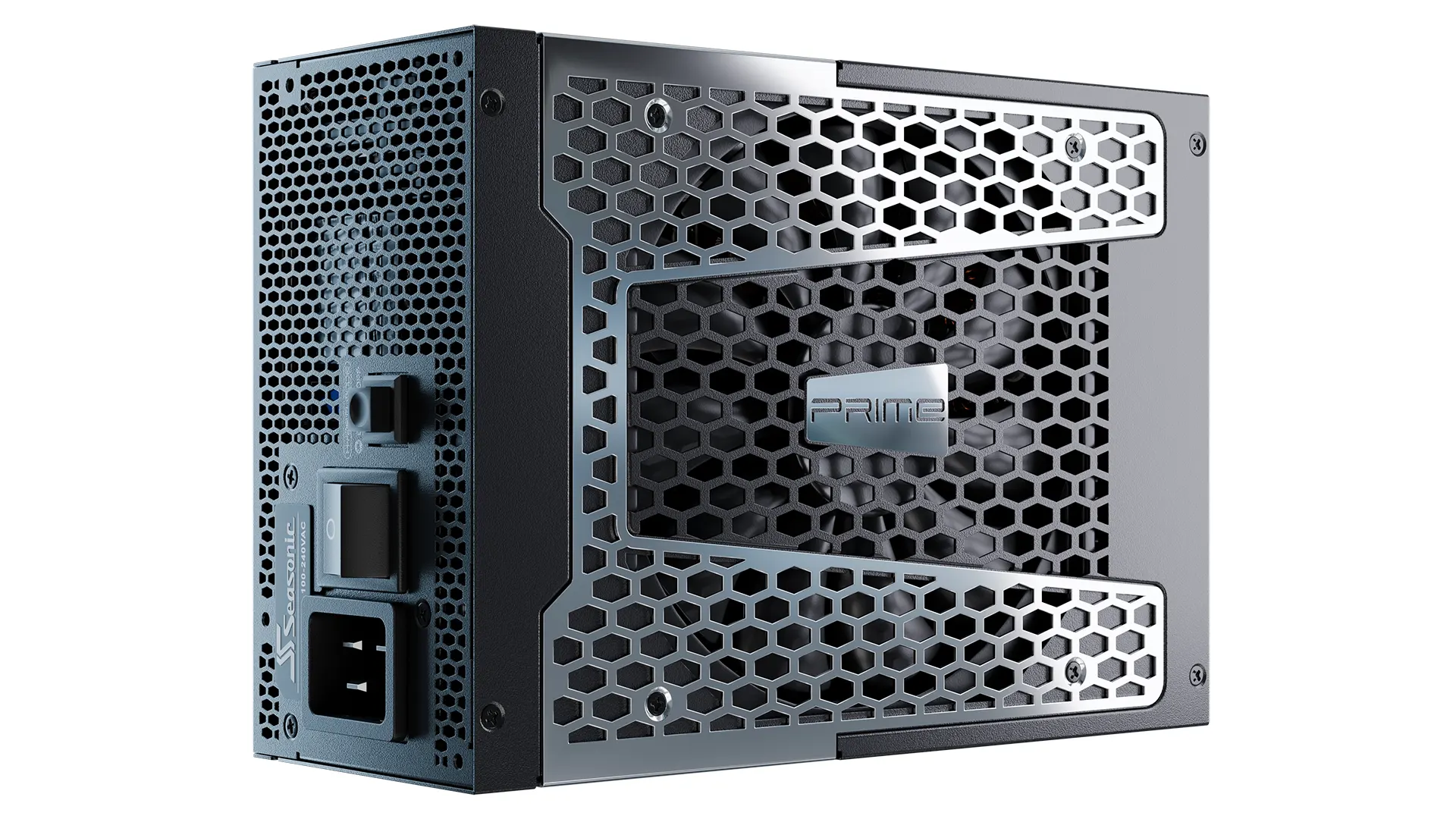
The importance of PRIME is not simply that it includes high-wattage power supplies. Its real strength lies in combining power capacity, efficiency, electrical regulation, component quality, cooling, and modern connectivity within a single platform.
Seasonic currently positions PRIME TX ATX 3.1 at the top of the PRIME family in terms of efficiency, with 1300W and 1600W models, while PRIME PX ATX 3.1 is available in 1600W and 2200W configurations. This distinction is important because the PRIME name alone does not automatically mean that every model supports ATX 3.1; the specific version must be checked.
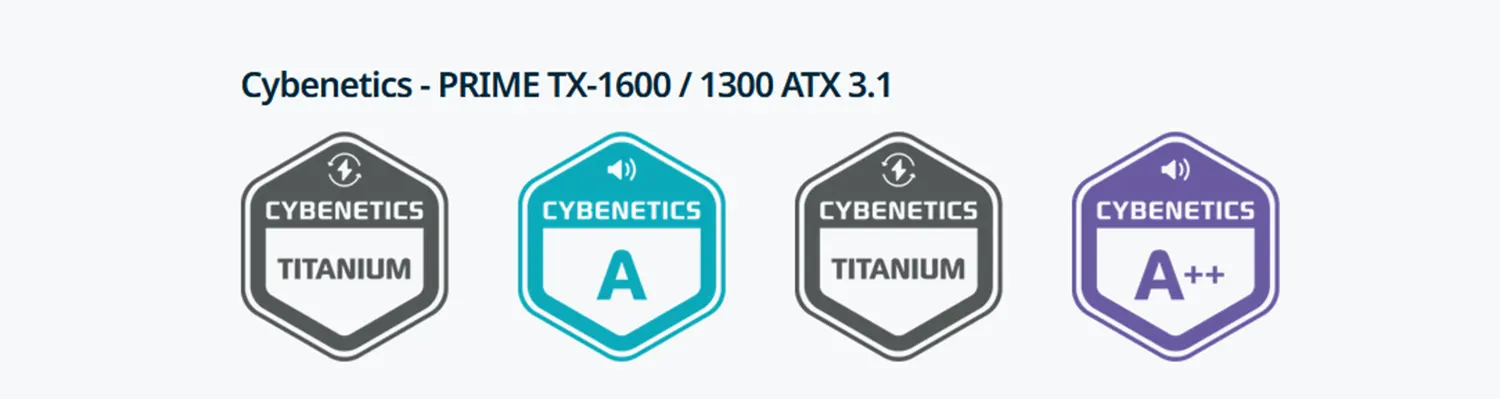
The TX ATX 3.1 platform combines ATX 3.1 and PCIe 5.1 support with native 12V-2×6 connectivity, 80 PLUS Titanium efficiency, 105°C Japanese capacitors, a 135mm Fluid Dynamic Bearing fan, Digital Hybrid Fan Control, and a 12-year warranty.
None of these specifications makes a PSU exceptional in isolation. Their value comes from the way they work together.
PRIME TX-1300: Headroom for a Single-GPU Workstation
The PRIME TX-1300 ATX 3.1 provides a clear example of the importance of headroom.
The PSU delivers 1300W of total output, with up to 1296W available on the +12V rail, equivalent to 108A. It also provides a native 12V-2×6 connector, six PCIe connectors, and three EPS connectors.
Suppose a workstation consumes 850W or 900W under a sustained AI workload. Technically, a 1000W PSU could power such a system. That does not necessarily make 1000W the best choice.
Once transient loads, operating temperatures, additional components, and future upgrades are taken into consideration, having roughly 400W of additional capacity with the TX-1300 becomes more than just a larger number printed on the specification sheet.
This is the difference between a PSU capable of running the system and a PSU appropriately sized for the system.
PRIME TX-1600: When the System Becomes a Computing Workstation
With the PRIME TX-1600 ATX 3.1, the platform moves into another class.
The PSU provides the full 1600W on its +12V rail, equivalent to 133.3A, and includes two native 12V-2×6 connectors, six PCIe connectors, and three EPS connectors.
This level of capacity makes the TX-1600 suitable for systems combining a flagship GPU with a high-power processor and a substantial number of additional components, as well as platforms moving toward multi-GPU configurations.
At this point, the philosophy behind PSU selection changes.
The reason for choosing a 1600W PSU is not that the system is expected to consume 1600W continuously. Rather, it is that the platform benefits from substantial operating headroom and from avoiding prolonged operation near the PSU’s maximum rated capacity.
PRIME PX-1600 and PX-2200: When Power Capacity Itself Becomes a Challenge
If TX represents the PRIME platform focused on combining high output with maximum efficiency, PX pushes available capacity even further.
PRIME PX ATX 3.1 is available in 1600W and 2200W configurations, carries an 80 PLUS Platinum rating, and reaches up to 92% efficiency at 50% load. It also supports ATX 3.1, PCIe 5.1, native 12V-2×6 connectivity, and a 12-year warranty.
The PRIME PX-2200 in particular belongs to an entirely different category from the PSUs normally found in gaming PCs. Seasonic explicitly positions it for high-power applications, including AI workloads, and indicates that it can support configurations with up to four RTX 4090 graphics cards under its specified scenarios.

The +12V rail can deliver up to 2200W, or 183.3A, while the unit provides two 12V-2×6 connectors alongside multiple PCIe cables.
At this point, the PSU is no longer simply another component inside a desktop computer.
It becomes part of the architecture of a high-power computing workstation.
The Difference Between 1300W, 1600W, and 2200W Is Not Just a Number
The following table places these PRIME models into a practical context:
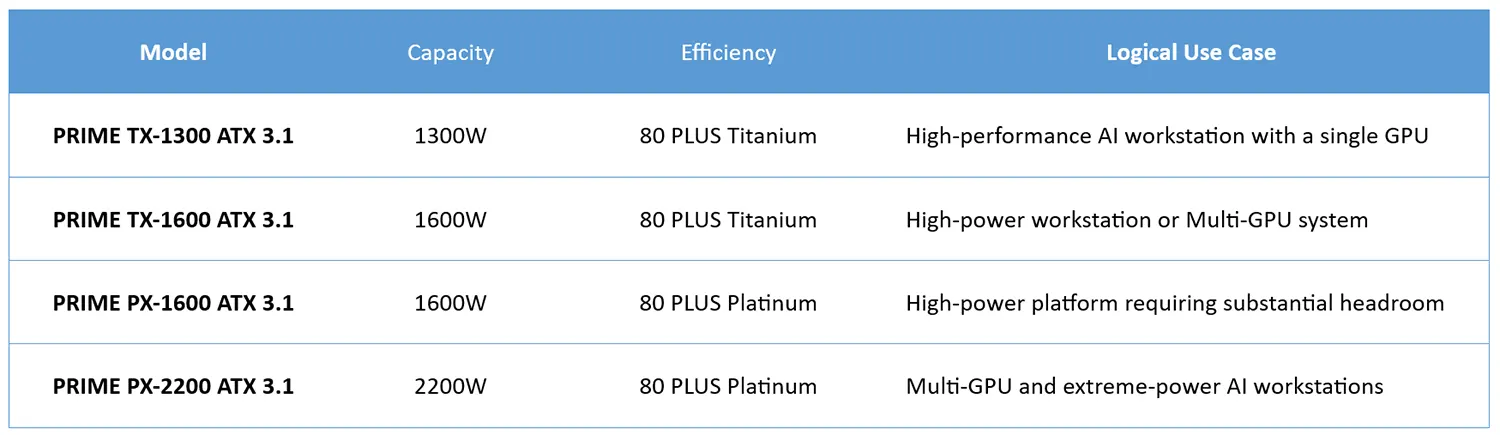
This table is not a substitute for calculating actual system power consumption. Nor does it mean that the TX-1600 is inherently better than the PX-1600 simply because it carries a Titanium efficiency rating, or that the PX-2200 is automatically the right choice for every AI workstation.
The correct choice depends on actual load, GPU count, CPU requirements, component count, and the system’s upgrade path.
How Should You Calculate PSU Capacity for an AI Workstation?
Consider a hypothetical workstation built around a flagship GPU capable of consuming approximately 600W, a workstation-class CPU drawing around 350W, and another 150W for the motherboard, memory, storage, fans, pumps, and other components.
The theoretical sustained load would therefore be:
600 + 350 + 150 = 1100W
The mistake would be to stop here and conclude that a 1200W PSU is sufficient.
The 1100W figure represents an estimate of sustained consumption, not necessarily the maximum electrical demand the system can experience. There are differences between rated and actual component consumption, transient behavior, operating temperature, and future upgrades.
A 1300W PSU may therefore represent a more sensible starting point, while a 1600W unit may be appropriate if the platform is expected to expand or if the CPU and other components are likely to consume more power than assumed in the example.
The fundamental principle is simple:
PSU selection should begin with actual system load and then add an appropriate engineering margin, rather than starting with the minimum theoretical requirement.
Is 50–70% Load the Ideal Operating Range?
A common rule of thumb states that a PSU should always operate between 50% and 70% of its rated capacity.
This is useful as a guideline, but it is not an engineering law.
Efficiency varies across models and across the load curve. The 80 PLUS certification system specifies particular test points and does not mean that a PSU maintains the same efficiency throughout its entire operating range.
The more important principle is to avoid designing a high-power workstation in which the PSU continuously operates at 95% or 100% of its rated capacity.
If the system consumes 1100W continuously, a 1200W PSU leaves very little margin. A 1300W or 1600W unit provides more room for transient loads, future upgrades, and changing thermal conditions.
At the other extreme, there is little practical value in installing a 2200W PSU in a system that consumes only 500W or 600W.
The objective is proportionality between PSU capacity and actual system demand.
Efficiency: Less Power Turned Into Heat
In an AI workstation, electrical consumption cannot be separated from thermal output.
Every watt that does not reach the components as useful output ultimately becomes heat inside the PSU.
PRIME TX carries an 80 PLUS Titanium certification and reaches a rated efficiency of up to 94% at 50% load.
If the system requires 1000W of actual output and the PSU is operating at 94% efficiency at that point, it would draw approximately 1064W from the wall, with the remaining 64W becoming heat within the PSU.
Sixty-four watts may not sound significant in isolation, but the picture changes when the system operates for ten or twelve hours every day.
Combined with the heat generated by the GPU, CPU, motherboard, and other components, reducing PSU losses contributes to a more manageable overall thermal environment.
Higher efficiency does not make the GPU faster. It does, however, help create a more favorable thermal environment and can reduce the cooling burden and acoustic output under appropriate operating conditions.
Thermal Management: The Link Between PSU and Reliability
The PSU fan may seem unrelated to AI performance, but it is not.
An AI workstation operating under sustained load can generate considerable heat. The GPU may operate close to its thermal limits for hours, while the CPU can remain under continuous load, with memory, VRMs, and storage adding their own thermal contribution.
Any additional heat generated inside the PSU adds to the burden on its components.
This is why PRIME TX uses a 135mm Fluid Dynamic Bearing fan with Digital Hybrid Fan Control, with a rated fan lifespan of up to 50,000 hours under specified conditions.
The use of Japanese capacitors rated at 105°C is another part of the platform’s thermal reliability strategy.
However, an excellent PSU cannot compensate for poor case ventilation.
If an AI workstation is enclosed in a small chassis with inadequate airflow, ambient temperatures around the components will rise regardless of PSU quality.
Cooling must therefore be treated as part of the overall system design rather than simply as the responsibility of the GPU fans.
Voltage Regulation and Ripple: Why Output Quality Matters
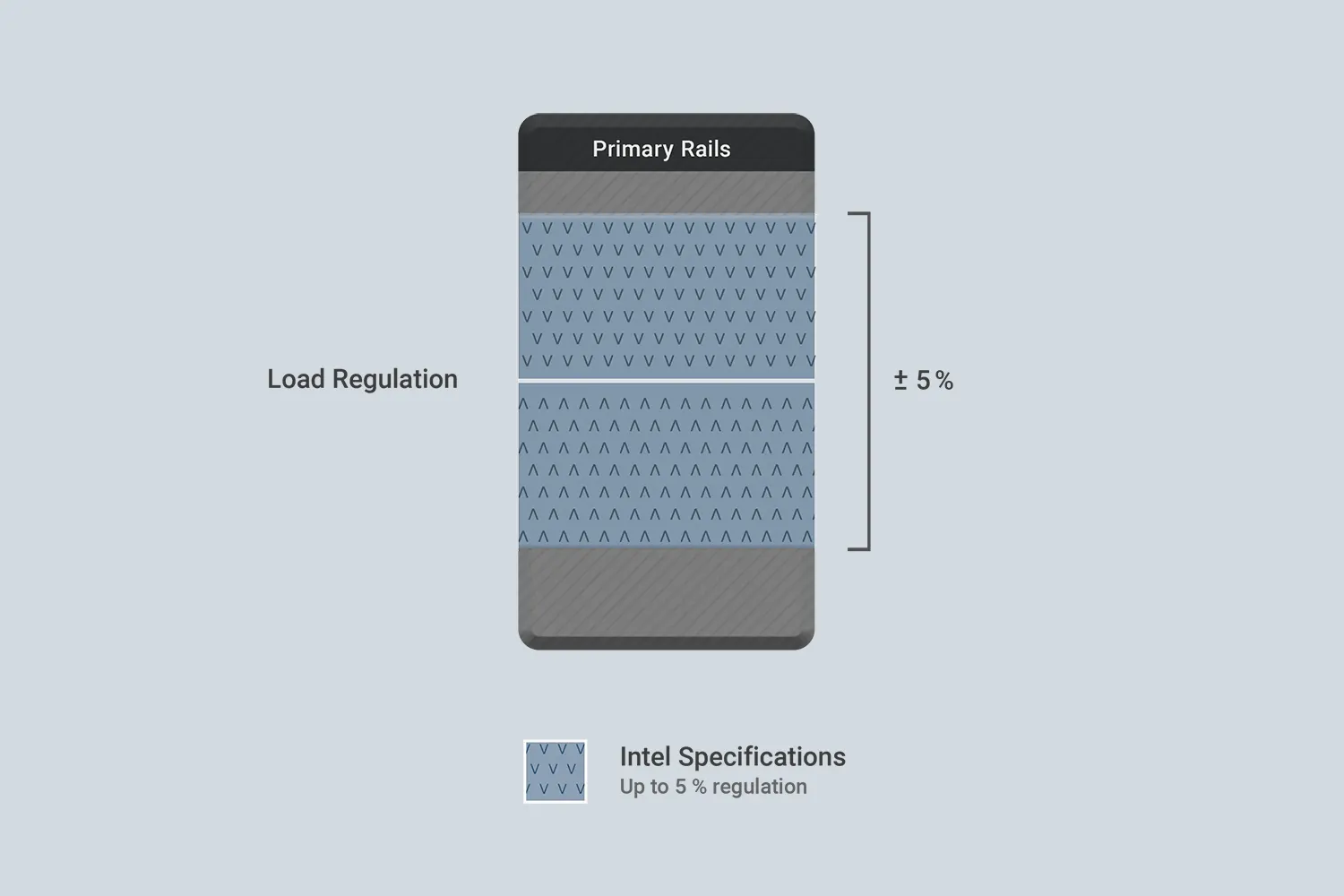
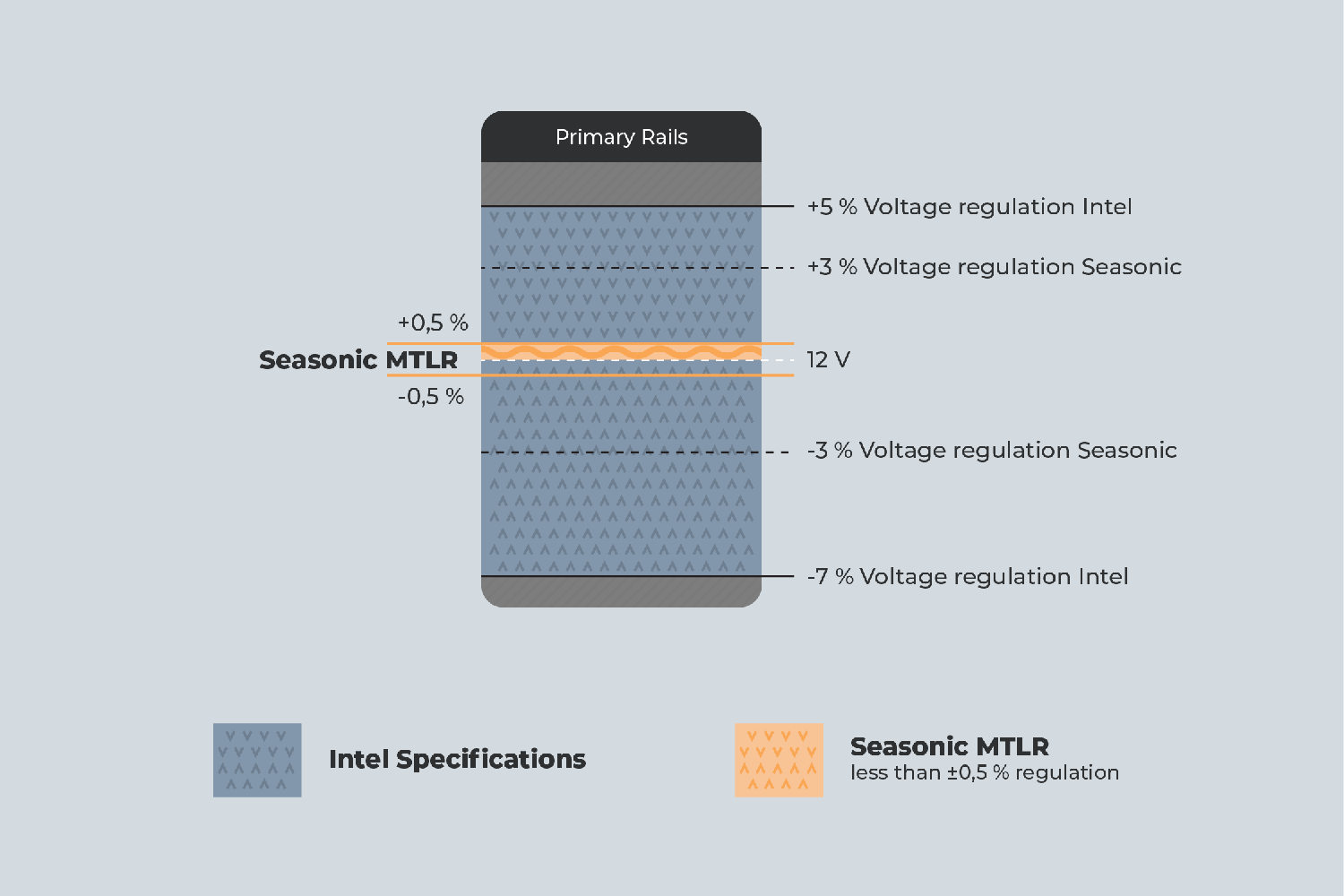
PRIME TX ATX 3.1 specifies Micro Tolerance Load Regulation of up to 0.5%, with Ripple Noise below 20mV on the 1300W and 1600W models.
These figures matter because they describe important aspects of the quality of the power delivered by the PSU.
Good voltage regulation means that output voltage does not vary significantly as the load changes, while low ripple indicates less residual fluctuation and noise on the output rails.
However, these figures must be interpreted correctly.
It would be inaccurate to claim that low ripple automatically prevents memory errors, checkpoint corruption, or every other form of training failure.
AI workstation stability depends on the entire platform, including the PSU, motherboard, VRMs, GPU, VRAM, system memory, storage, software, and thermal conditions.
Nevertheless, minimizing sources of electrical instability remains an important part of building a reliable system.
Multi-GPU: Where the Real Power Calculations Begin
A single high-power GPU already makes PSU selection important.
Adding a second GPU changes the equation considerably.
If each card consumes approximately 500W to 600W, two GPUs alone could account for 1000W to 1200W. The rest of the platform must then be added on top of that.
For this reason, a Multi-GPU workstation should not be designed around the simplistic assumption that “two GPUs require twice the PSU.”
The complete system load must be calculated, followed by verification that the PSU provides enough power connectors, that the load can be distributed appropriately, that the chassis offers sufficient cooling, that the motherboard supports the required configuration, and that the physical and electrical infrastructure can handle the system.
This is where something like the PRIME PX-2200 becomes considerably more relevant than a conventional high-wattage PSU, particularly because Seasonic designed it with Multi-GPU configurations in mind and provides multiple power connectors and cables for this class of system.
Even then, 2200W is not an automatic answer.
Larger configurations may require a more complex power architecture, potentially involving multiple PSUs or specialized power-delivery solutions, depending on the GPUs and platform involved.
When the Electrical Infrastructure Becomes Part of the System Design
This is an important consideration that is often overlooked in high-power PC builds.
A PSU does not operate in isolation.
There is an entire chain between the electrical grid and the system’s VRMs:
Electrical grid → wall outlet and circuit → UPS or PDU where applicable → PSU → motherboard and GPU → VRM → components.
When using a 2200W PSU, the capacity of the electrical circuit itself becomes a consideration.
On a 230V supply, a PSU drawing its full rated output could theoretically require approximately 9.6A at the input before accounting for losses and power-factor considerations. When other equipment shares the same circuit, load distribution becomes important.
Building a high-power Multi-GPU workstation therefore does not end with buying a powerful PSU.
The electrical circuit, outlet, wiring, and UPS, if used, must all be capable of handling the required load.
In some environments, this consideration may be more important than the difference between a 1600W and 2200W PSU.
What About a UPS?
If an AI workstation is being used to train a model for dozens of hours, a power interruption lasting only a few seconds can be far more costly than simply rebooting the computer.
A UPS can therefore become an important part of the overall reliability strategy.
However, choosing a UPS should not be as simple as selecting a VA rating larger than the PSU’s wattage printed on the label.
The actual system load, the UPS’s continuous watt capacity, waveform, transfer time, load characteristics, and compatibility with active-PFC power supplies all need to be considered.
It is also important to distinguish between the roles of the two devices.
The PSU regulates the power delivered to the computer’s components. A UPS provides an additional layer of protection and power continuity between the system and the electrical grid.
One does not replace the other.
Can PSU Quality Prevent Data Loss?
This is an area where claims should be treated carefully.
If a power interruption or system reset occurs during model training, the user can obviously lose the work performed since the last checkpoint.
However, it would be inaccurate to claim that high ripple will inevitably cause memory bit flips or weight divergence.
Computational errors can originate from many sources, including system memory, VRAM, thermal conditions, unstable overclocking, software, and storage.
Nevertheless, minimizing electrical instability remains part of building a reliable platform.
And in a system that may run continuously for 24 hours or longer on a single task, reliability has a much greater practical value than it does in a gaming PC that can simply be restarted after a few minutes.
PRIME Is Not Simply About Buying the Largest PSU Possible
The fact that PRIME sits at the top of Seasonic’s consumer PSU lineup does not mean that every AI workstation needs a PRIME PX-2200.
If a system uses a single GPU and its total consumption remains below 700W or 800W, a lower-capacity PSU may be the more rational choice.
As sustained system consumption approaches 1000W, the TX-1300 becomes increasingly attractive.
As requirements move toward 1300W or 1400W, the TX-1600 becomes more appropriate.
For heavily loaded Multi-GPU systems, the PX-1600 or PX-2200 may become the appropriate choices.
The relevant question is not:
“What is the largest PSU I can buy?”
It is:
“What capacity provides an appropriate margin above the system’s actual load without going overboard?”
The PSU as an Investment Across Multiple Generations
There is another reason to invest in a high-quality PSU.
A graphics card may be replaced within two or three years. The CPU, motherboard, and memory may be upgraded. Even the entire storage subsystem may eventually be replaced.
A good PSU, however, can remain in service across multiple generations.
This is where PRIME’s long warranty becomes particularly relevant. Seasonic provides up to a 12-year warranty across the PRIME family, which aligns well with the idea of retaining the PSU longer than many of the other components in the system.
However, making use of that long service life depends on selecting the appropriate capacity and connectors from the beginning.
A PSU that is adequate today but lacks the connectors or headroom required by tomorrow’s GPU can become an upgrade limitation long before the PSU itself reaches the end of its useful life.
Conclusion: Don’t Build an AI Workstation Around the GPU Alone
When building an AI workstation, most discussions begin with the graphics card.
How much VRAM does it have?
How many Tensor Cores?
What is its FP16, BF16, or FP8 performance?
What size model can it run locally?
All of these questions matter.
But another question deserves the same level of attention:
How will the system be powered?
A power supply is not simply a black box between the wall outlet and the motherboard.
It is a power-conversion, regulation, and protection system that must deal with sustained workloads, rapid changes in power demand, thermal conditions, electrical noise, and high-current connectors.
That is why ATX 3.1 and 12V-2×6 have become increasingly important with modern graphics cards, and why PSU quality itself should be considered an integral part of AI workstation design.
The Seasonic PRIME family provides a clear example of this approach. PRIME TX-1300 and TX-1600 ATX 3.1 combine high efficiency, substantial output capacity, native 12V-2×6 connectivity, tight voltage regulation, and low ripple characteristics, while the PRIME PX ATX 3.1 family extends available capacity to 2200W for the class of Multi-GPU systems that begin to approach the power requirements of high-performance computing platforms.
But the real value does not lie in the PRIME name alone.
The more important principle is that a PSU should be selected according to the nature of the platform, rather than the minimum mathematical estimate of its power consumption.
In a gaming PC, the difference between a good PSU and an excellent one may primarily come down to efficiency, acoustics, and additional headroom.
In an AI workstation running for many hours at a time, the PSU can become part of the system’s reliability architecture itself.
When the combined value of the GPU, memory, CPU, and storage reaches thousands of dollars, saving a relatively small amount on the power supply becomes one of the least sensible forms of cost-cutting in the entire build.
The goal is not to buy the largest PSU.
The goal is to establish a properly engineered electrical margin that allows the components to operate within their intended conditions while giving the system enough room to accommodate transient loads, thermal conditions, future upgrades, and long-term use.
At that point, power-delivery quality becomes part of computer engineering itself rather than simply another specification printed on the side of a PSU box.